

How to Check for Form 26AS Mismatch Before Filing ITR
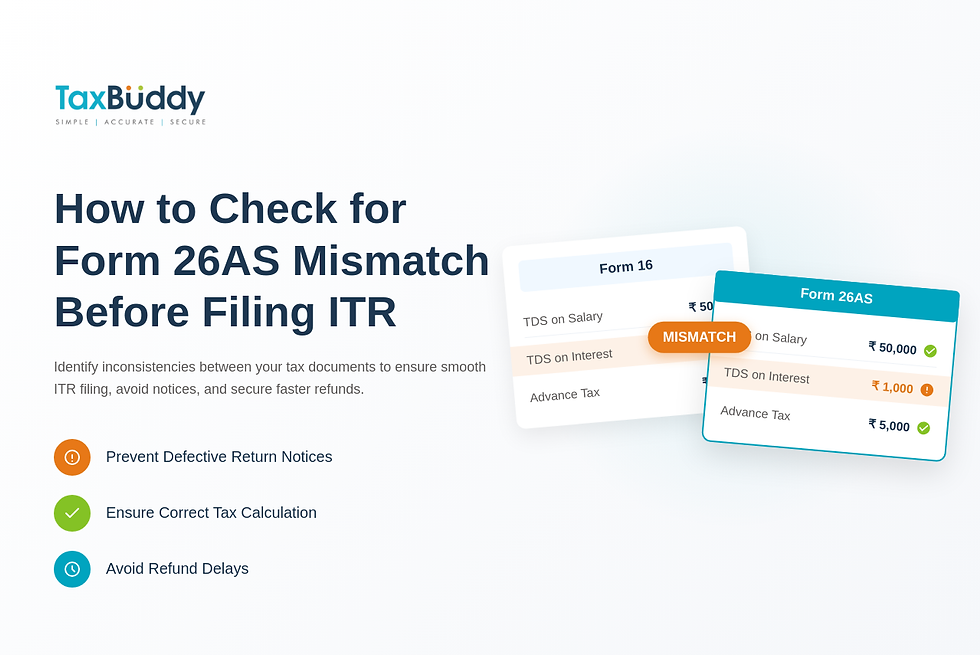
Form 26AS is the tax credit statement that records TDS, advance tax, and self-assessment tax reported against a PAN. Any mismatch between Form 26AS and documents like Form 16 or AIS can lead to refund delays, defective return notices, or incorrect tax calculations. Identifying inconsistencies before filing the return ensures smooth processing and prevents unnecessary tax scrutiny. A quick review of tax credits, deduction entries, and reported income helps eliminate errors that often appear due to late TDS filings or incorrect PAN entries. Platforms like TaxBuddy simplify this process by highlighting mismatches and guiding taxpayers through corrections.
Table of Contents
Why Checking Form 26AS Before Filing ITR Matters
Form 26AS is the most reliable source for confirming all tax credits recorded against a PAN. Before filing an income tax return, ensuring that every TDS entry, advance tax payment, and self-assessment challan reflects correctly helps avoid discrepancies that could lead to refund delays or automated adjustments under Section 143(1). A mismatch between Form 26AS and details in salary statements or AIS can cause inconsistencies in the final tax computation. Checking the statement in advance prevents errors that often arise from delayed TDS returns or incorrect reporting by employers, banks, or tenants. Many taxpayers prefer automated tools like TaxBuddy that highlight mismatches instantly and simplify the reconciliation process.
How to Access and Download Form 26AS
Form 26AS can be downloaded directly from the income tax portal after logging in with PAN-based credentials. Once logged in, the “e-File” section displays the option to view Form 26AS, which redirects to the TRACES platform. The latest version of the statement is available in PDF or text format and covers TDS, TCS, advance tax, refunds issued, and high-value financial transactions. Downloading the statement before starting tax filing ensures that all credits are updated and provides a baseline for matching information across documents.
How to Compare Form 26AS With Form 16, Form 16A, and AIS
Comparing Form 26AS with Form 16 and Form 16A involves reviewing the TDS amounts, deductor details, and PAN entries. A line-by-line reconciliation helps ensure no missing credits. AIS and TIS provide additional transaction-level details and highlight income reported by banks, mutual funds, employers, and other institutions. Checking AIS alongside Form 26AS ensures that interest income, dividend income, rent, and securities transactions are consistently reported across all information sources. Reconciliation across these documents prevents filing inconsistencies and ensures accurate tax computation.
Common Reasons for Form 26AS Mismatch
Mismatches frequently occur due to delays in filing TDS returns, incorrect PAN entries, or deductors reporting incomplete information. Banks may report interest income late, resulting in TDS entries appearing after the taxpayer has already downloaded the statement. Employers may upload revised TDS returns after discovering errors in Form 16. Sometimes, taxpayers notice that the amounts in Form 16 and Form 26AS differ because the employer filed the quarterly return late. Missing entries, incorrect challan references, and manual data-entry errors also contribute to discrepancies.
How to Fix Form 26AS Mismatch Before Filing ITR
Addressing mismatches requires identifying the source of the error and requesting a correction from the deductor. If an employer or bank has reported incorrect PAN details, they must file a revised TDS return. For incorrect tax payments, taxpayers can cross-verify challan numbers through the OLTAS portal and raise queries with the deductor if the entry is missing. If discrepancies arise after filing the ITR, the income tax portal’s tax credit mismatch tool helps review adjustments made under Section 143(1) and allows corrective steps. Timely revision by deductors ensures the tax credit reflects accurately before the return is processed.
Using AIS and TIS to Detect Early Mismatches
AIS is designed to give a comprehensive view of all financial transactions reported for a taxpayer. It often reveals mismatches much earlier than Form 26AS, especially for interest income, dividends, or rent. TIS summarises the AIS data and shows the values used by the department for tax computation. Comparing AIS and TIS with Form 26AS ensures that no income source has been overlooked and no credit is missing. This early detection helps make corrections before filing the return and reduces the possibility of future notices.
How Incorrect Bank Account Details Affect Form 26AS Reporting
Incorrect bank account details can cause errors in TDS reporting when interest income or other tax-deductible transactions are linked to the wrong PAN or mismatched information in bank systems. A wrong PAN entry during bank account opening may prevent TDS credits from appearing in Form 26AS. Even minor differences in name spelling or KYC details may trigger reporting inconsistencies. Ensuring accurate data during account creation prevents such mismatches and maintains proper flow of tax credits.
Correcting TDS Entries Linked to Multiple Bank Accounts
Taxpayers with multiple fixed deposits or recurring deposits often find that only some TDS entries appear in Form 26AS. This usually occurs when certain accounts were opened with incomplete KYC details or outdated PAN information. Each bank branch must report TDS separately, and missing entries can arise if PAN updates were not reflected across accounts. Reviewing interest certificates for all accounts, comparing them with AIS, and requesting the bank to revise TDS filings ensures that all credits reflect in the statement before filing ITR.
Steps to Resolve Deductor Errors in TDS Reporting
When a mismatch originates from a deductor, the correction must be carried out through a revised TDS return. The deductor needs to correct the PAN, income amount, or TDS value and file a revised statement through TRACES. This corrected filing is then processed and updated in Form 26AS during the next TDS cycle. Employers, tenants filing rent TDS, and banks must follow the same process when errors occur. Taxpayers can assist by sharing necessary documents such as challan copies, PAN details, and income proofs to help the deductor file corrections quickly.
When to Seek Professional Help for Form 26AS Mismatch
Professional assistance becomes useful when the mismatch involves multiple deductors, unexplained income entries, or withheld refunds due to inconsistencies. Tax experts help identify the exact source of error, communicate with deductors, and guide taxpayers through post-filing rectification processes. In cases where TDS returns have not been filed correctly or where the mismatch affects refund eligibility, professional help ensures a timely resolution. Platforms like TaxBuddy support taxpayers with expert guidance and automated reconciliation tools that simplify the entire correction process.
Conclusion
Reconciling Form 26AS with income records is essential to prevent refund delays and avoid unnecessary tax notices. Minor mismatches can escalate into correction requirements after filing, so reviewing TDS entries, AIS data, and income details before submission ensures a smooth filing experience. When discrepancies arise due to incorrect reporting or missing entries, early correction helps maintain compliance and avoids further scrutiny. For those looking for guided support, for anyone looking for assistance in tax filing, it is highly recommended to download the TaxBuddy mobile app for a simplified, secure, and hassle-free experience.
FAQs
Q. Does TaxBuddy offer both self-filing and expert-assisted plans for ITR filing, or only expert-assisted options? TaxBuddy offers two filing journeys for different types of taxpayers. The self-filing plan is designed for those with straightforward income sources, where the platform automatically pulls data from Form 16, AIS, and Form 26AS to reduce manual entry. It provides on-screen guidance, automated validations, and instant tax calculations. The expert-assisted plan is suitable for individuals with multiple income heads, complex deductions, capital gains, or rental income. In this plan, a tax expert reviews documents, prepares the return, ensures accurate reporting, and files the ITR after verification. This dual-model approach gives taxpayers flexibility to choose a filing method that aligns with their comfort and financial complexity.
Q. Which is the best site to file ITR? The income tax department’s website remains the official platform for filing returns. It is free and suitable for users who are comfortable navigating forms and entering data manually. However, many taxpayers prefer using specialised platforms that simplify tax filing. TaxBuddy is widely considered one of the best platforms because it combines AI-powered data extraction, automated checks, summary mismatches detection, and professional support under one system. Features like document uploads, real-time tax computation, and optional expert review make it more convenient than filing directly on the government portal for most individuals.
Q. Where to file an income tax return? A return can be filed directly on the income tax portal or through private e-filing services authorised to assist taxpayers. Platforms such as TaxBuddy streamline the process with automated form selection, data pre-fill, TDS reconciliation, and error detection built into the workflow. These platforms guide users through deductions, exemptions, and disclosures, making filing easier and reducing the chances of mistakes. Whether filing online independently or with professional assistance, ensuring data accuracy across income documents remains essential.
Q. Why is there a mismatch between Form 16 and Form 26AS? Mismatches typically occur when deductors submit incorrect or incomplete data in their quarterly TDS returns. This may include wrong PAN entries, delayed filing, missing challans, or differences in income amounts reported. Sometimes employers revise Form 16 after discovering errors, but these revisions are not immediately reflected in Form 26AS. A mismatch can also arise if different salary components or reimbursements have been accounted for differently in payroll systems. Checking both documents carefully before filing helps prevent errors and reduces the likelihood of receiving a tax notice.
Q. How can Form 26AS be checked online? Form 26AS can be accessed through the income tax portal by logging in with PAN details. After navigating to the e-File menu, the option to view Form 26AS redirects to the TRACES portal where the statement is available. It can be downloaded as a PDF or text file and includes TDS, advance tax, refunds, and reporting of high-value transactions. Reviewing it early in the filing process ensures that all tax credits reported by employers, banks, tenants, and other deductors are correctly accounted for.
Q. What happens if an ITR is filed with a mismatch in Form 26AS? Filing a return with discrepancies often results in immediate automated adjustments under Section 143(1)(a). The income tax system compares the reported values with data from Form 26AS, AIS, and TIS. If inconsistencies are detected, the system may reduce claimed TDS credits, alter the tax payable, or deny certain deductions. This can lead to refund delays or demand notices. To avoid such complications, taxpayers should reconcile all documents with Form 26AS before submitting the return.
Q. Who must correct TDS mismatches in Form 26AS? Any mismatch arising from incorrect reporting must be corrected by the deductor responsible for filing the TDS return. This includes employers, banks, tenants deducting rent TDS, and companies making payments subject to tax deduction. Only the deductor has the authority to revise TDS statements on TRACES. Taxpayers can assist by sharing accurate PAN details, challan copies, income proofs, or any other supporting documents required to complete the correction process.
Q. How long do corrections take to reflect in Form 26AS? Once a deductor files a revised TDS return, the corrected data undergoes verification within the TRACES system. The updated entries typically appear in the following processing cycle, which may take a few days to a few weeks depending on the filing timeline. If multiple corrections are required or if the deductor delays resubmission, the update may take longer. Taxpayers are advised to monitor Form 26AS periodically until the mismatch is fully resolved.
Q. How can incorrect bank account details cause mismatches? Bank account errors usually affect TDS on interest income. When a bank account is opened, incorrect PAN entries or incomplete KYC information may lead to interest payments being reported without proper tax linkage. This results in TDS credits not appearing in Form 26AS even though tax has been deducted. Additionally, discrepancies in name spelling, account type, or branch mapping may disrupt accurate reporting. Ensuring proper KYC and PAN validation at the time of account creation prevents such issues.
Q. What should be checked in bank account opening forms for tax accuracy? A bank account opening form should contain accurate PAN details, correct personal information, and complete KYC data. These details are used by banks for TDS reporting on interest income. If even one digit of the PAN is incorrect, TDS will be reported against a different taxpayer or may not be linked at all. It is also important to review the communication address, signature, and identity details as they affect compliance and transaction verification. Ensuring accuracy upfront avoids reporting errors later.
Q. How to verify TDS entries for multiple bank accounts? Taxpayers who hold multiple fixed deposits or savings accounts must reconcile each interest certificate with entries in AIS and Form 26AS. Sometimes banks report TDS separately for different branches or deposit accounts, leading to scattered entries. Reviewing interest summaries, cross-checking the total with reporting in Form 26AS, and ensuring all PAN-linked TDS entries are reflected help maintain accuracy. If any account’s TDS does not appear, the bank should be notified to revise its reporting.
Q. When should professional help be considered? Professional help becomes important when mismatches involve several deductors, when high-value transactions are reported incorrectly, or when refunds are withheld due to discrepancies. Tax experts can identify the root cause of mismatches, communicate with deductors on behalf of taxpayers, and handle rectifications efficiently. In situations involving repeated errors, historical mismatches, or multiple financial sources, professional guidance ensures accuracy and protects taxpayers from unnecessary notices or assessments.


