

Income Tax e-Filing Portal: Features, Sections, and How to Use It

Updated: Jun 30
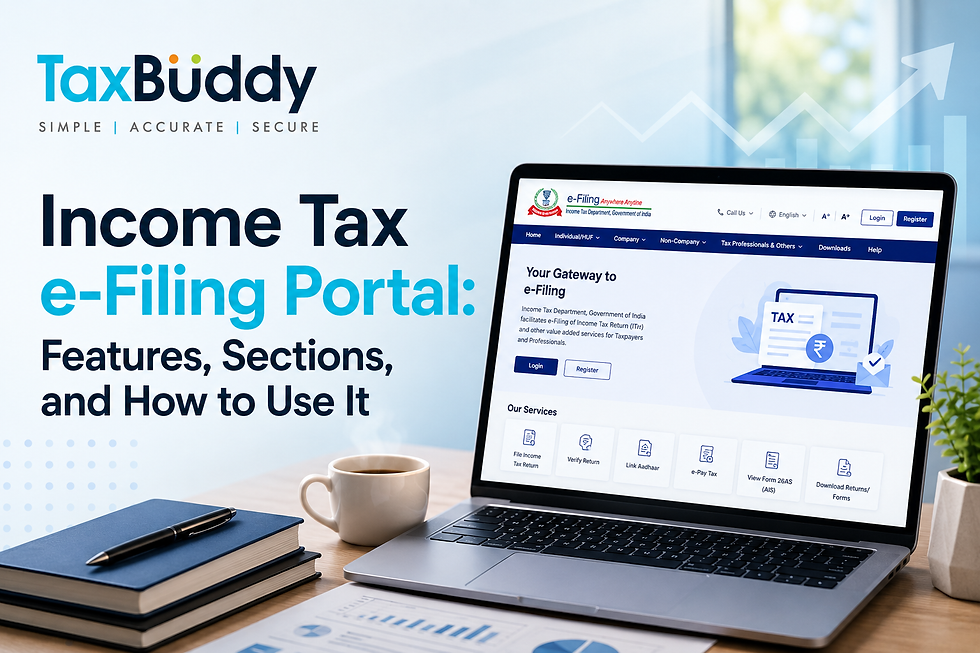
The Income Tax e-Filing Portal is the official online platform of the Income Tax Department that allows taxpayers to complete a wide range of tax-related activities in one place. Whether you need to file an Income Tax Return (ITR), verify a return, make a tax payment, access forms, or respond to a notice, the portal provides digital access to these services.
Understanding how to use this portal is essential for meeting tax filing deadlines, avoiding penalties, and ensuring compliance with tax regulations. With the Income Tax Department increasingly digitising services, knowing how to use the e-Filing portal effectively has become non-negotiable. Missing out on key features could mean delayed refunds, overlooked tax benefits, or compliance issues that attract unwanted attention.
The income tax return portal serves different categories of users, including individual taxpayers, businesses, companies, tax professionals, and tax deductors. It also offers resources such as filing utilities, downloadable forms, tax calculators, and Digital Signature Certificate (DSC) support tools.
By bringing tax services online, the portal helps simplify compliance. It also reduces paperwork and makes tax-related information more accessible throughout the year. Keep in mind that the current version called the e-Filing portal 2.0 was launched in 2021 to offer a more user-friendly experience with a faster processing timeline.
Table of Contents
Features of the Income Tax e-Filing Portal
The key features of new income e-Filing portal (efiling 2.0) is as below:
Seamless transition between IT Act, 1961 and IT Act, 2025: From April 1, 2026, the income tax portal supports both Income Tax Act, 1961 and Income Tax Act, 2025.
e-Filing made easier, and more intuitive: From April 1, 2026, the IT portal homepage is redesigned for better user experience, the help section is revamped, and seamless transition between old and new acts.
ITR filing is now faster and easier: The ITR filing is quick and easy. Check AIS, verify pre-filled details, and submit securely.
Call centre service: The web portal is integrated with a ‘new call centre’ for immediate response to the queries of the taxpayers. It also provides tutorial, videos, and AI chatbot (Tax Genie), to resolve the queries of the taxpayers.
Single dashboard interaction: The new income tax portal shows all interactions, uploads, and pending actions against PAN in a single dashboard. Thus, it becomes very easy for the taxpayers to respond, submit, or view any communication from the IT department and take necessary action towards the same.
Multiple payment options: The IT platform supports multiple payment options for tax payment such as RTGS/ NEFT, credit card, UPI and net banking. Thus, making ITR filing more convenient for common taxpayers.
Mobile application: The income tax department has launched a mobile application called ‘AIS for taxpayers’ wherein the taxpayers can check their Annual Information Statement (AIS) and submit their feedback to the tax department.
Pre-filled ITRs: The portal allows taxpayers pre-filling of some details related to certain incomes such as salary, house property, business/profession, capital gains, and so on. The pre-filling happens based on the TDS and SFT statements uploaded by the respective entities.
Services Available on the Income Tax e-Filing Portal
India’s income tax portal offers a range of services for taxpayers, deductors, businesses, and other users. In addition to return filing and compliance activities, the portal provides facilities for tax payments, PAN-related services, status tracking, and taxpayer support. Here’s an in-depth look:
File Income Tax Returns
The portal allows eligible taxpayers to prepare, file, and verify Income Tax Returns online. The forms are pre-filled based on your PAN as well as TDS and SFT (Statement of Financial Transaction) and contain information such as salary, income from house property, business or profession, interest, dividends, and capital gains.
Access Tax Forms and Resources
The portal provides access to tax forms, filing utilities, and guidance documents. Taxpayers can also download offline filing utilities and supporting software required for specific tax-related activities.
Verify Returns and Service Requests
Taxpayers can electronically verify filed returns through the e-Verify Return service. The portal also allows taxpayers to verify the status of certain service requests submitted through the Income Tax Department's online systems.
Make Tax Payments Online
The e-Pay Tax service now allows taxpayers to make tax payments online using RTGS/NEFT, credit card, UPI, or net banking from any bank account.
Access PAN and TAN Services
The portal offers several PAN- and TAN-related services, including:
Instant e-PAN generation for eligible applicants
PAN status verification
TAN information lookup
Jurisdiction-related services through Know Your JAO (Jurisdiction Assessing Officer)
Track Tax-Related Requests and Status Updates
Taxpayers can monitor various tax-related activities through services such as:
Tax payment status tracking
Service request verification
Filing and compliance status updates
Use Taxpayer Support Tools
The portal provides additional resources to help taxpayers manage compliance requirements, including:
Income Tax Calculator
Tax Calendar
Tax Information & Services section
Notice compliance services
Downloadable CSI files and other supporting resources
Manage Digital Signature Certificates (DSC)
For taxpayers who use Digital Signature Certificates, the portal provides access to DSC-related downloads and support resources. These include the DSC Management Utility, emBridge utility, installation guides, and registration support for digitally signing returns and forms.
Understanding the Main Sections of the Income Tax Portal
The income tax filing portal categorises information and services based on the type of taxpayer, which are as follows.
Individual/HUF
The Individual/HUF section is designed for individual taxpayers and Hindu Undivided Families. It provides taxpayer-specific information, filing guidance, and resources for various categories of individuals, including:
Salaried employees
Individuals earning income from business or profession
Senior citizens
Super senior citizens
Non-resident taxpayers
In addition to taxpayer categories, this section provides access to resources such as:
Information on applicable tax forms and returns
Tax slab details
Deductions and exemptions
Return eligibility information
Assisted filing services
These resources help taxpayers identify applicable filing requirements and access relevant tax-related information.
Company
The Company section contains information and resources relevant to corporate taxpayers. It is divided into categories based on the company's residential status and filing requirements.
The income tax filing portal provides separate sections for:
Domestic companies
Foreign companies
Taxpayers can access information on applicable forms, returns, and compliance requirements relevant to their entity type.
Non-Company Taxpayers
This section covers taxpayer categories that are neither individuals nor companies. It provides information and resources for entities with different tax filing and compliance requirements. Categories available under this section are:
Firms and Limited Liability Partnerships (LLPs)
Associations of Persons (AOPs)
Bodies of Individuals (BOIs)
Trusts
Local authorities
The portal organises information separately for these entities to help them access taxpayer-specific resources and filing information.
Tax Professionals and Other Users
The portal also contains dedicated sections for professionals and organisations involved in tax administration, compliance, and reporting activities. Categories include:
Chartered accountants
E-return intermediaries
External agencies
Tax deductors and collectors
Government departments
RBI-approved banks
These sections provide access to information and services relevant to the responsibilities of each user category.
Downloads Section
This section of the Income Tax e-Filing Portal provides access to various resources required for tax filing and compliance. These include:
Income Tax Return Utilities
The portal allows taxpayers to download utilities required for preparing and filing Income Tax Returns offline. These resources help taxpayers complete return filing before uploading the relevant files to the portal. Some of the resources available under this section include:
Common Offline Utility
Excel-based utilities
JSON-based filing tools
The portal displays the available utilities along with the applicable assessment years and download options.
Income Tax Forms Utilities
The Downloads section also provides access to utilities related to income tax forms. These resources support the preparation and submission of specific forms required under various tax provisions. Taxpayers can access:
Form preparation tools
Form-specific utilities
Downloadable resources linked to individual tax forms
The portal organises these resources separately to help taxpayers locate the required form utility more easily.
DSC Management Utility
The Downloads section contains resources related to the use of Digital Signature Certificates (DSCs) on the Income Tax e-Filing Portal. The DSC Management Utility supports the registration and management of digital signatures used for electronically signing returns, forms, and other submissions. Depending on the taxpayer category and filing requirement, a DSC may be required for completing certain activities on the portal.
emBridge Utility
The emBridge Utility facilitates the use of Digital Signature Certificates on the Income Tax e-Filing Portal. It helps establish communication between the DSC device and the portal, enabling taxpayers to digitally sign returns and other electronic submissions.
DSC Tutorials and User Guides
The portal also provides tutorials and user guides to assist taxpayers with DSC-related activities. These resources cover installation, registration, configuration, and general usage of Digital Signature Certificates on the portal.
How to Download ITR Utilities from the Income Tax Portal
The Income Tax e-Filing Portal provides downloadable utilities that help taxpayers prepare and file returns offline. The exact utility available may vary based on the assessment year and return type.
Step 1: Visit the Downloads Section
Log in to the ITR Portal and navigate to the ‘Downloads’ section. This section contains various resources, including Income Tax Return utilities, form-related utilities, and DSC-related software.
Step 2: Select Assessment Year
Under the Income Tax Return Utilities section, select the relevant assessment year for which the return is being prepared. The portal displays utilities based on the assessment year chosen.
Step 3: Choose the Required Utility
Review the available options and select the utility that matches the filing requirement. Depending on availability, the e-filing portal for income tax may provide:
Common Offline Utility
Excel-based utilities
JSON-based filing utilities
Taxpayers should ensure that the selected utility corresponds to the applicable return form and assessment year.
Step 4: Download and Install the Utility
Click the download option for the selected utility and save the file to the device. If installation is required, follow the instructions provided with the utility. Once installed, the utility can be used to prepare the return before uploading the completed file to the Income Tax e-Filing Portal.
How to File Returns Through the Income Tax e-Filing Portal
The Income Tax e-Filing Portal allows taxpayers to file different return forms online. While the overall filing journey is similar, the form selection and information required vary depending on the return being filed.
ITR-1
Step 1: Log in using the registered credentials or register to the ITR Portal


Step 2: Navigate to e-File > Income Tax Returns > File Income Tax Return

Step 3: Select the relevant assessment year and choose Online as the filing mode

Step 4: If a draft return exists, select Resume Filing; to begin a new return, select Start New Filing
Step 5: Choose the applicable filing status and proceed
Step 6: Select ITR-1 from the available return forms

Step 7: Select the applicable reason for filing the return and continue

Step 8: Review the pre-filled information and complete the remaining sections of the return, including income, deductions, taxes paid, and other required details

Step 9: Review the return summary and tax computation; if any tax is payable, complete the payment through the integrated e-Pay Tax facility

Step 10: Preview the completed return and run the validation checks
Step 11: Correct any validation errors, if applicable, and proceed with submission
Step 12: Submit the return and select the preferred verification method
Step 13: Complete e-verification and download the acknowledgement generated by the portal
ITR-4
Step 1: Log in to the Income Tax e-Filing Portal and access the return filing section
Step 2: Select the assessment year and choose the online filing option
Step 3: If a draft return is available, resume the filing process; otherwise, start a new return
Step 4: Select the applicable taxpayer status and continue
Step 5: Choose ITR-4 from the list of available return forms
Step 6: Review the eligibility information, filing requirements, and document checklist displayed by the portal
Step 7: Select the applicable reason for filing the return
Step 8: Review and update the pre-filled information available in the return
Step 9: Complete all relevant sections, including income details, deductions, taxes paid, exempt income disclosures, and other applicable schedules
Step 10: If opting out of the default tax regime, provide the required information relating to Form 10-IEA, where applicable
Step 11: Review the return summary and tax computation generated by the portal
Step 12: Where additional tax is payable, complete the payment through the e-Pay Tax service
Step 13: Preview the completed return and validate the information entered
Step 14: Resolve any validation errors highlighted by the portal and proceed with submission
Step 15: Submit the return and choose the preferred verification option
Step 16: Complete e-verification and download the acknowledgement generated after successful filing
Benefits of Using the Income Tax e-Filing Portal
The e-filing income tax portal brings multiple tax-related services together on a single platform. This allows taxpayers to access information, complete compliance activities, and manage tax records online.
Centralised Tax Services
Taxpayers can file returns, make tax payments, verify submissions, access forms, download utilities, and use PAN- and TAN-related services without visiting multiple platforms.
Faster Return Filing
The portal streamlines the return filing process by providing online filing services, downloadable utilities, and taxpayer-specific resources. This helps taxpayers complete filing requirements more efficiently.
Online Verification
Taxpayers can verify returns electronically through the portal. Online verification eliminates the need for physical paperwork and helps complete the return filing process more quickly.
Access to Tax Forms and Utilities
The Downloads section provides access to return preparation utilities, tax forms, DSC-related software, and supporting resources. Taxpayers can download the files required for specific filing and compliance activities directly from the portal.
Secure Document Management
The portal enables taxpayers to submit forms, file returns, and access tax-related information through a secure digital platform. This helps maintain electronic records and reduces dependence on physical documents.
Common Issues Taxpayers Face on the Portal
While the e-Filing portal 2.0 offers a range of online services, taxpayers may occasionally encounter technical or process-related issues when using the platform.
e-Filing 2.0 Login Problems
Some taxpayers may face difficulties accessing their accounts due to incorrect credentials, password-related issues, or account access problems. These issues can usually be resolved through the portal's account recovery and support options.
DSC Registration Errors
Taxpayers using Digital Signature Certificates may encounter issues during DSC registration or validation. Such errors can occur because of software configuration issues, browser settings, expired certificates, or problems connecting the DSC device.
Utility Installation Issues
Certain downloadable utilities may require installation before use. Taxpayers may occasionally face compatibility issues, installation errors, or difficulties updating utility versions.
Form Submission Errors
Errors can sometimes occur during form or return submission due to incomplete information, validation failures, incorrect data entries, or technical issues. Reviewing the error message and validating the form before submission can help resolve such issues.
Frequently Asked Questions
1. What is the IT e-Filing Portal?
The Income Tax e-Filing Portal is the official online platform of the Income Tax Department. It provides access to services such as ITR filing, tax payments, return verification, PAN-related services, downloadable forms, and tax-related resources.
2. Can taxpayers file ITR directly on the portal?
Yes. Eligible taxpayers can file Income Tax Returns directly through the e-Filing Portal. Depending on the return type, taxpayers may file online or use offline utilities available in the Downloads section.
3. What is the DSC Management utility?
The DSC Management Utility is a software resource available on the Income Tax e-Filing Portal that supports the registration and use of Digital Signature Certificates (DSCs). It helps taxpayers electronically sign returns, forms, and other submissions where a DSC is required.
4. How can taxpayers download ITR utilities?
Taxpayers can download ITR utilities by visiting the Downloads section of the Income Tax e-Filing Portal. The portal provides access to Common Offline Utilities, Excel-based utilities, and other return preparation resources for applicable assessment years.
5. Who can use the Income Tax Portal?
The portal is available to various taxpayer categories, including individuals, Hindu Undivided Families (HUFs), companies, firms, LLPs, trusts, tax professionals, tax deductors, government departments, and other authorised entities.
6. What is the emBridge utility used for?
The emBridge Utility facilitates the use of Digital Signature Certificates on the Income Tax e-Filing Portal. It helps establish communication between the DSC device and the portal, enabling taxpayers to digitally sign returns and other electronic submissions.
7. Can companies and LLPs use the same portal?
Yes. The Income Tax e-Filing Portal supports multiple taxpayer categories, including companies, firms, LLPs, trusts, and individual taxpayers. The portal provides separate sections and resources based on the taxpayer type.
8. Is it possible to file returns without downloading utilities?
Yes, in certain cases. The Income Tax e-Filing Portal supports online filing for eligible returns. However, some taxpayers may need to use offline utilities or downloadable resources depending on the applicable return form and filing requirements.


